~~ Home Server ~~
This article discusses all the crap running on this server, including this website! To be frank, this probably isn't for you. It's for me. Because one day I will have to move all this garbage to a new server, and I should probably document this somewhere.
1. Hardware
HP Prodesk 600
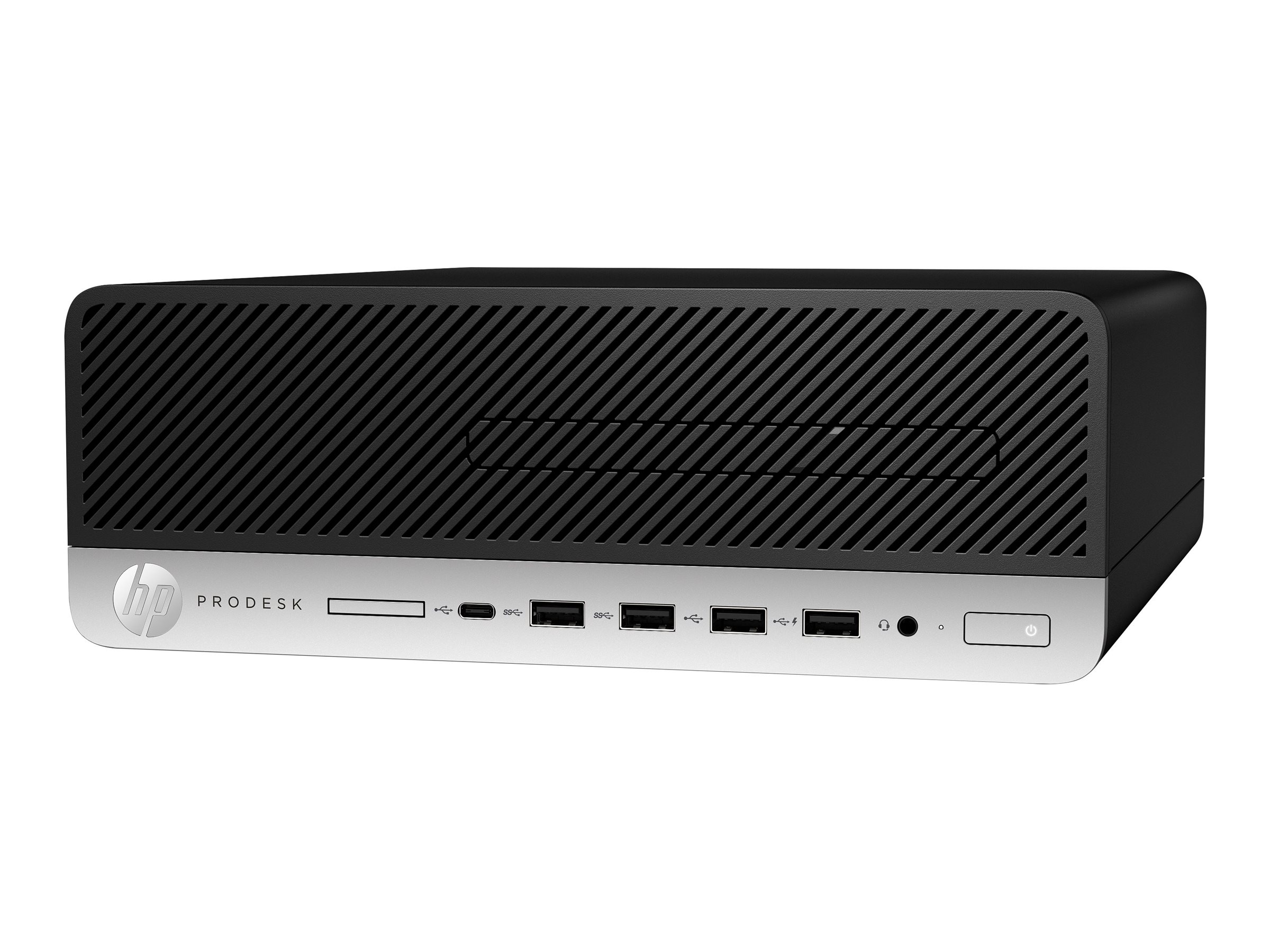
Here we have the venerable HP Prodesk 600. This poor creature has been pieced together from junk I had laying around the house. It came to me with a Skylake i3-6100 and not much else. I threw 32gb of DDR4 from at least four different manufacturers and my old gaming PC's Kaby Lake i5-7600k into the thing, and off we went.
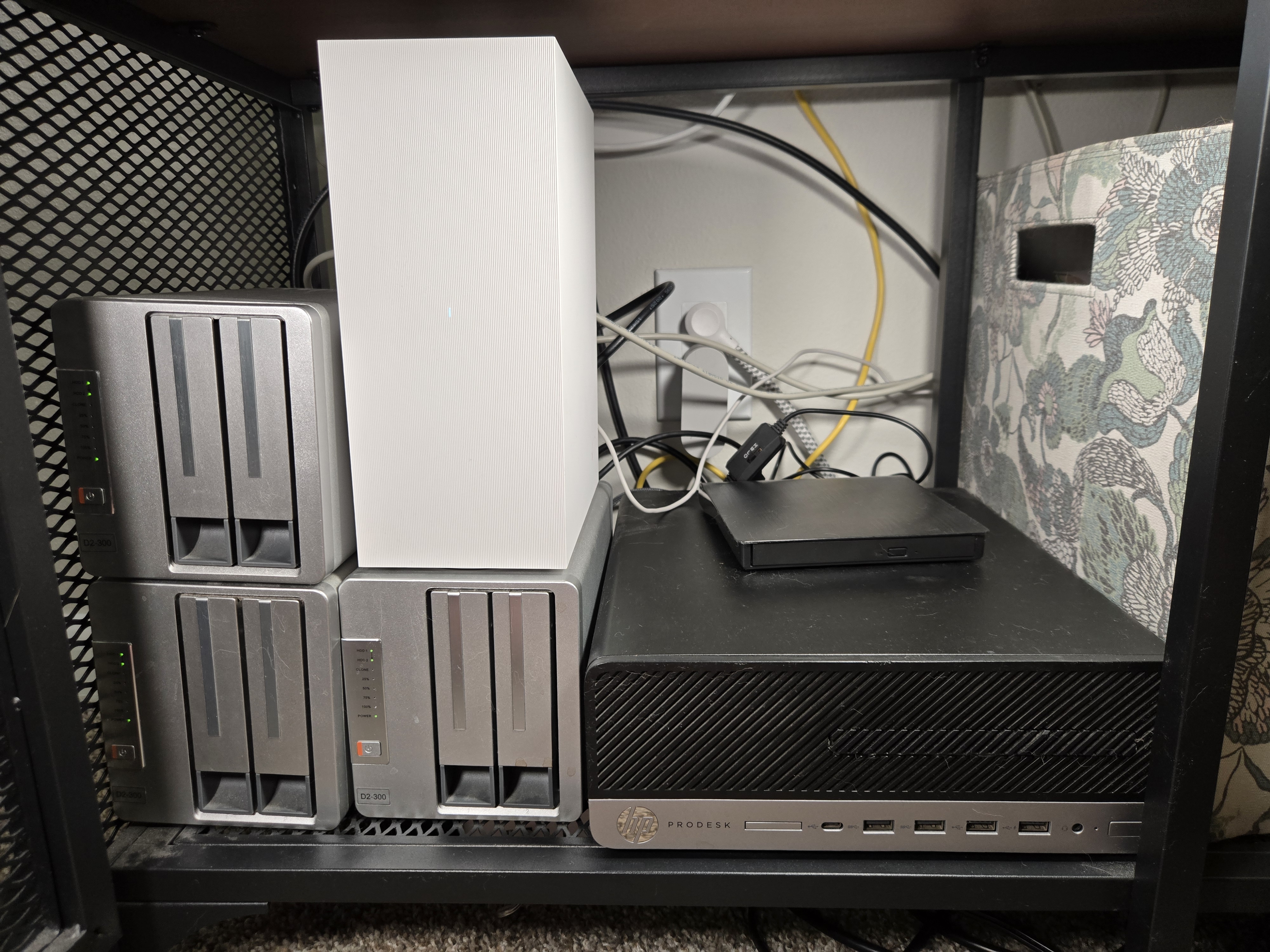
Though the poor little guy put on a valiant effort, he needed a little help. It took years but he gathered an entire entourage of external hard drive bays, and a Blu-ray drive side kick. Altogether, between HDD and SSD, this modest office PC now has almost 30 TB of storage.
Specifications
HP Prodesk 600
CPU: Intel Core i5 7600K @ 3.80GHz
RAM: 32.0GB Dual-Channel DDR4 across four DIMMS
Internal Storage:
Samsung SSD 750 Evo 250 GB SATA SSD
Silicon Power 500 GB M.2 SSD
Hitachi 4 TB HDD
External Drive Bays: 3x TeraMaster D2-300 Two Drive
5X Random Refurb 4 TB HDD
1X Seagate BarraCuda 8TB HDD
Jank
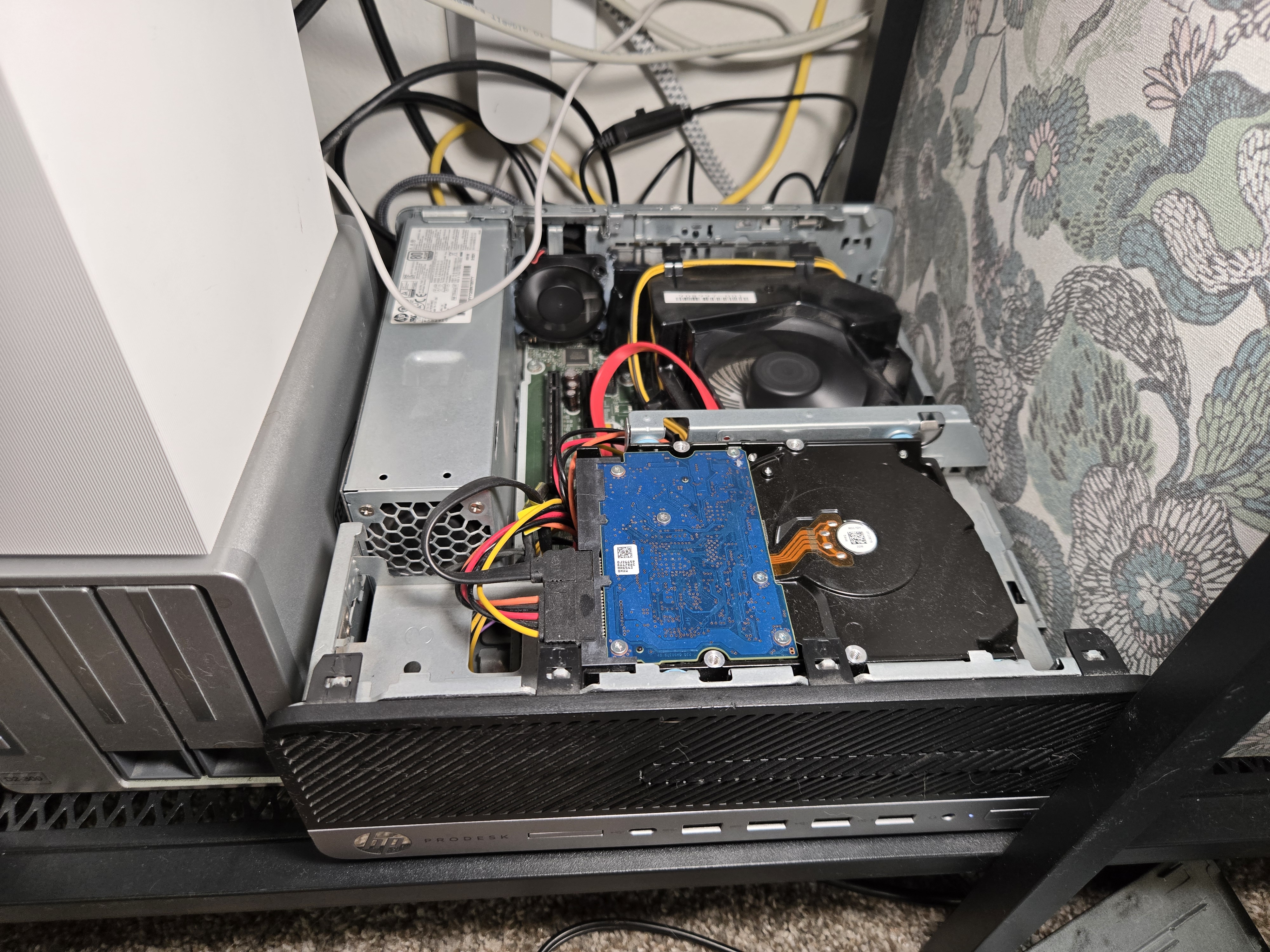
Pushed beyond its limits, the hardware has accumulated a fair amount of jank. For instance, there is not a lot of room in this tiny case, nor are there many SATA ports. One of the first modifications was to add a cheap SATA card for more storage. Second was to remove the internal DVD drive (the front cover for it is now stuck on with double stick tape and hope). That left me some room to squeeze in another SSD. There is no monitor, keyboard, or mouse, but this presented issues while remoting into the machine. It would only give me a 640 X 480 display window, which was pretty lame. They make these little dummy display adapters that trick your PC into thinking a display is plugged in, and that worked great.
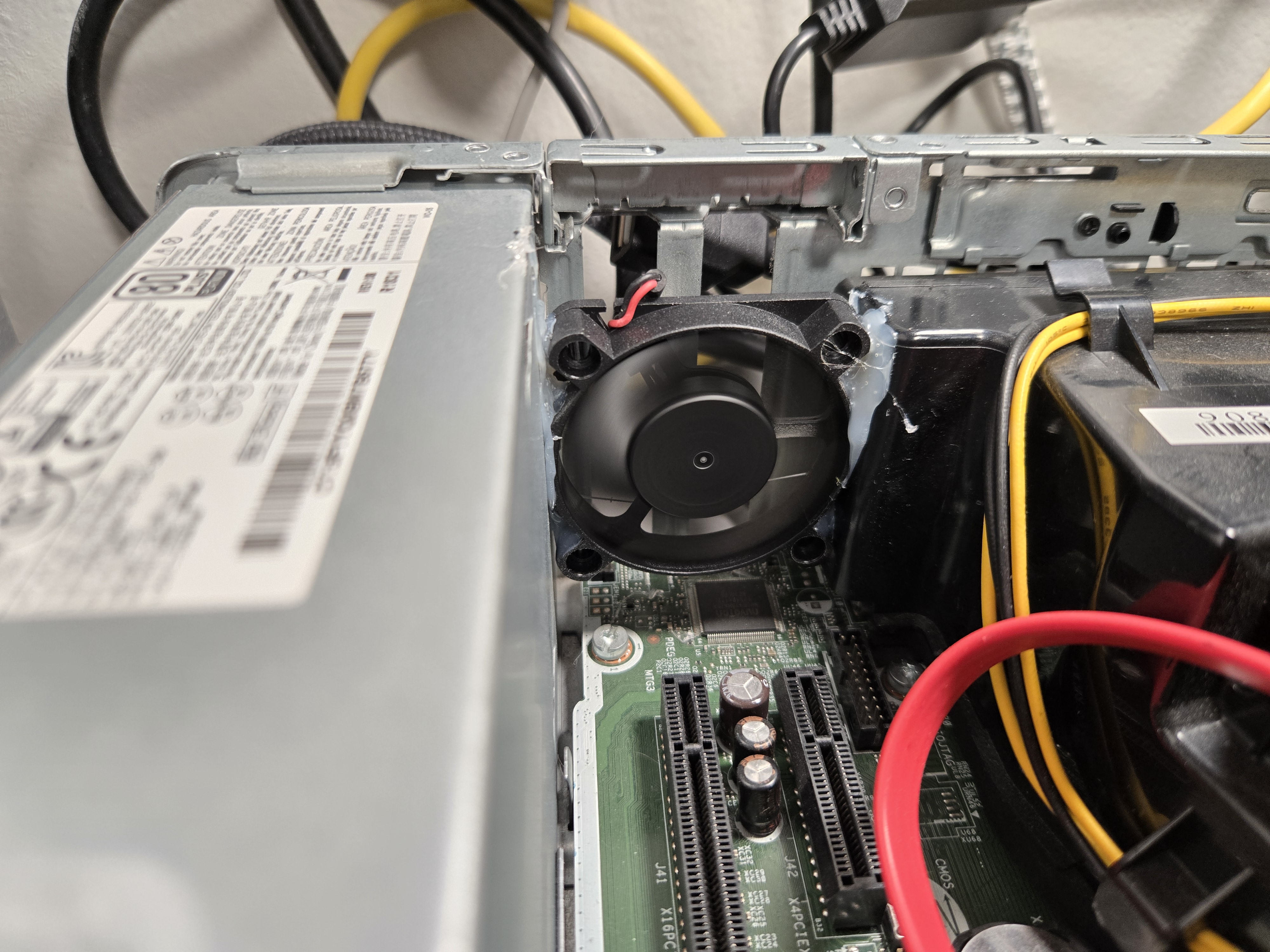
My favorite jank is the PCI slot exhaust fan that is held in by hot glue. The thing gets powered by a USB port because HP, in their infinite wisdom, didn't put any fan headers on the board. It is like the idiots who designed this thing never envisioned someone Voltron-ing this tiny desktop into a server. Lack of imagination, really.
2. Software
Dynamic-DNS Script

When you self-host, having a domain is super helpful. Aside from websites, many of these tools are way easier to use if you don't have to remember an IP address. All my domains live on Cloudflare. They have a pretty good API that allows for dynamically updating the domain record as your home IP address changes. It doesn't take much to make it happen, just a little PowerShell script and you're good to go.
Non-Sucking Service Manager

Non-Sucking Service Manager (NSSM) is a command-line tool that allows you to configure scripts to run as services in Windows. The Dynamic-DNS PowerShell script is one of those services. I also use it for the webserver stack (Caddy and Python scripts using Flask).
LanguageTool

LanguageTool is one of the only things on this server running in a proper Docker container. It's self-hosted Grammarly. The image I run includes fasttext, a language detection model that improves accuracy. With that, it's fairly comparable to Grammarly. It integrates cleanly using a browser extension pointed at the local server. There is also a Word plugin.
Stirling PDF

Stirling PDF is a self-hosted, browser-based PDF toolkit. It directly fixed the problem of searching for a tool to split a PDF, pull out specific pages, or convert to a word document. All the online tools suck, and all the existing programs seem to money. It just works and, I'm learning, it's in a Docker container.
RustDesk

RustDesk is an open-source remote desktop tool, but self-hostable. I run my own relay server which is much faster than the public server. Also, something, something, privacy and security. I mostly use it to access my desktop remotely from my laptop when I need more compute than the laptop can handle.
Hyper-V
Hyper-V is Microsoft's built-in virtualization tool on Windows. It lets you spin up virtual machines without installing anything. I mostly use it when I need a quick VM to sandbox something, or if I need Linux for some reason.
R & R-Studio

I am a recovering Stata user. Stata is an obscure statistical software, mostly used by academic economists, although many economists have moved to R. I'm working on it. Open-source and free is nice, although it does require way more code to make basic statistical output. I will say, R is way better at programming logic.
I sometimes need to run code that takes a long time. When that happens, I spin up a VM with R and RStudio on the server and let it go however long it takes. A coauthor of mine actually writes everything in R, including a web scraper that I had running in a VM for, like 4 months. It's nice having an always-on computer that you can do things like this on.
Pi-Hole

Pi-hole is a DNS-based ad blocker. DNS is the system that translates domain names into IP addresses. Every time your browser loads a page it does a DNS lookup. Pi-hole acts as a DNS server for your home network, and when a request comes in for a known ad or tracking domain, it just drops it. The result is network-wide ad blocking on every dev, or in a docker container.
3. Media
Plex

I love Plex. Plex is great. There isn't too much to say here. It's super easy to set up. Easy to maintain. Just point it towards your media folders and it fetches metadata and provides a clean sharable frontend like any streaming service. Other stuff is out there, like Jellyfin and Emby, but I bought a Plex lifetime membership, and I'm going to damn-well get my money's worth. The server hosts movies, TV shows, Anime, Audiobooks, and Music. It absolutely does video better than audio though.
Navidrome
Plex freed me from the likes of Netflix, but I want to also be free of Spotify and YouTube Music. Navidrome is like Plex for music. It is not nearly as polished, but it works. There is an Android app called Symfonium that works much better than their web interface.
Calibre
Calibre is an eBook utility that does a whole lot of things. I use it to convert between eBook formats and to host my eBook library. If a book isn't in the right format, Calibre can handle that. The Calibre content server lets me sync books directly to my e-reader over the home network without having to plug anything in or mess around with file transfers.
4. Webserver Stack
The server runs two websites. The one you are on right now, and my professional website (shill shill shill). This is most fun part of running the server, but there are a lot of moving parts that make it all happen.
Hugo & PaperMod

This technically doesn't run on the server, but it is indispensable to the professional website. Hugo is an open-source site generator. There are a lot of themes, like PaperMod, that let you build decent looking websites with very little effort. It makes maintaining a website easier. Mostly just write in markdown in Visual Studio, and it just works. You cannot do anything too crazy. It just generates a static HTML website. Great for professional posts, CVs and whatnot, but not useful for anything dynamic.
Caddy

So, you have a pile of HTML files that you can open in your browser. That's all well and good, but it sure would be nice if you could show it to anyone. That's where Caddy comes in. Caddy is an open-source web server that's pretty easy to use, even if it is command line only. Configuration is done through a text file called a Caddyfile, which is fairly readable. Caddy's big claim to fame is that it handles HTTPS automatically -- it fetches and renews SSL certificates from Let's Encrypt on its own, which is why it's easier than something like Apache or Nginx where you have to manage that yourself. HTTPS lets people look at your website without their browser throwing up a bunch of scary warnings about the site being insecure. It's also good for security or whatever.
The reverse proxy doesn't matter that much if you just host static HTML, but it's required if the website interacts with any scripts running on the server. The reverse proxy sits in front of your Flask apps and forwards incoming requests to the correct port, while also handling HTTPS for them so Flask doesn't have to worry about it.
Flask

HTML and CSS are static by nature. To do anything dynamic, like reading from a file, talking to an external API, or processing form submissions, you need a backend running on the server that JavaScript can talk to. Flask is a Python package that makes this straightforward.
Flask lets you define routes (URLs) that your server listens on. When JavaScript makes a request to one of those URLs, Flask runs whatever Python code you've assigned to it and sends back a response, usually as JSON. On this server, Flask handles the Plex request form, the guestbook, and the game server status page. Each runs as a separate app on its own port.
Docker (A Plea for the Future)
Look. Buddy. I know you're excited. I know you want to get the new server up and running as soon as possible, and that impulse is leading you towards familiar paths. Windows, stand-alone installs, and overall jank. Please. Stop. Just bite the bullet -- use Linux and Docker. Remember all the pain of updating a dozen separate apps? That sucked. Instead, you can just write one script, set it to run every day at 4am or something, and get on with your life.
And I know, the tinkering is half the point. When you're feeling good, that's great! But you actually need this heap to work day-to-day. So, you are going to have to maintain this pile even if you feel like crap. Just use Linux (maybe Mint?), and DEAR GOD JUST USE DOCKER.
5. Ill-Advised AI Shenanigans
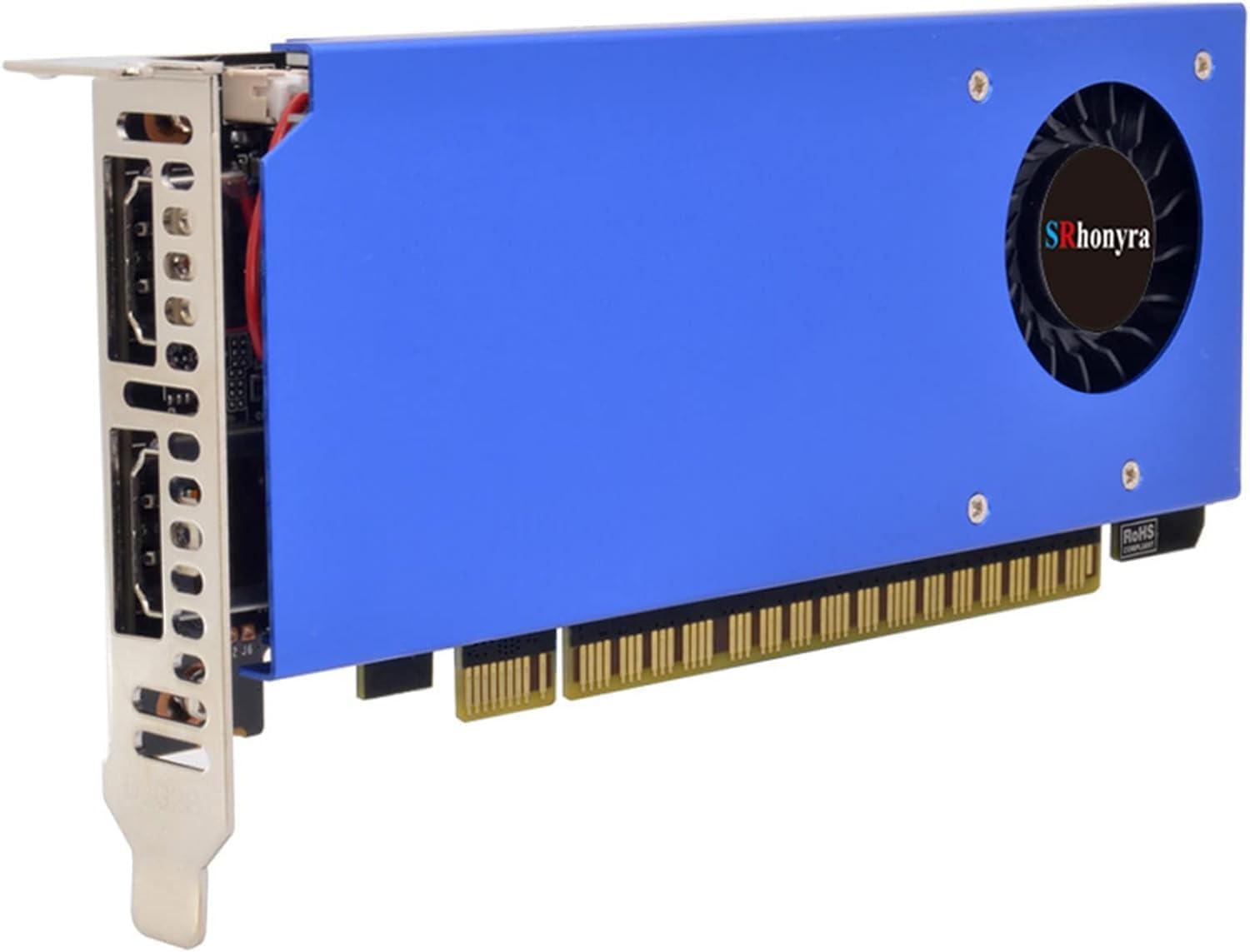
So, this server is tiny. There is not room enough for anything too fun, but my dumb-ass wanted a locally hosted LLM, and I was going to get it. Problem the first: the biggest GPU this poor little server can fit is a half-height, at most, two-slot card. Given that I was unwilling to go at it with a Dremel, the best I could do was the venerable Nvidia 1050 Ti. They still make these in miniature. Look at it. Isn't it cute? Problem the second: the 1050 Ti kind of sucks now. Four GB of RAM is not enough to do anything useful. Problem the third: it was only worth it for about three months.
The reason I did all this was because the off-the-shelf LLMs sucked at Stata code. Stata is an obscure piece of statistical software used mostly by academic economists. Its powers are that its documentation is top-notch and it is incredibly syntax efficient for things that academic economists do a lot. The problem is that no one else uses it. Even about half of academic economists just use R, as they probably should.
Anyway, the first coding project I used an LLM for was a web scraper using Python. I am not fluent in Python, but I know enough to ask where the bathroom is. Early ChatGPT was great at filling in the gaps in my knowledge, which let me put together a scraper in a week that would have taken me a month without it. This was great and led me to try using LLMs more for my work in Stata. Now, imagine my surprise when ChatGPT was complete dogshite at Stata. It just made things up constantly, and was surprisingly stubborn about using Python packages in Stata. But I still wanted documentation I could talk to. Turns out there's more Python code on the internet to train on than Stata code.

That's when I read about document augmented generation and locally hosted LLMs. So, I downloaded Ollama, OpenWebUI, and a version of Llama that fit in 4 GB. Then I fed the entirety of the Stata documentation and some of my favorite Stata books into the model. Doing the wizardry to turn these documents into vectors took more than a day, and the anemic 1050 Ti sounded like a hair dryer the entire time.
And the result was... fine? Certainly better at Stata than the LLMs of the time. I actually used it for work for about six months. By then the public LLMs had, I guess, incorporated Statalist into the training data, and it suddenly became much better than my homebrew.